



Over the past year, large language models like ChatGPT, Claude, Perplexity and Gemini have quietly shifted the way Australians search. These tools are no longer just novelties, they’re fast becoming default discovery platforms for everything from product research to service recommendations, starting with early adopters.
While Google still holds ~94% of Australia’s traditional search market share (SearchScope), focusing here and keeping ‘the main game, the main game’ is still paramount, but behaviour is changing fast. Generative AI is now influencing purchase decisions, content visibility, and even brand perception before users even reach your website.
So the question is: Are you tracking your referral traffic from AI models in GA4?
If not, here’s your guide to doing it right.
Why AI Traffic Matters More Than Ever
With ChatGPT now browsing the internet, and platforms like Perplexity building search engines around LLMs, it’s increasingly common for users to find your business inside an AI-generated answer.
That could mean:
- A user asks ChatGPT for “the best digital marketing agencies in Australia” and Aperitif is cited.
- Someone visits your homepage through a Perplexity answer card.
- You appear in a Claude response, but the user doesn’t click—yet they remember the brand and come back later at time of purchase.
These interactions don’t behave like organic search or direct traffic. Without the right tracking setup, they get misclassified—often showing up under “Referral” or “Other.” This makes it impossible to understand how much value you’re truly deriving from AI-powered discovery.
How to Track LLM Referral Traffic in GA4
To solve this, we recommend creating a Custom Channel Group in GA4 to isolate AI-powered traffic. You can do this in 2 easy steps.
1. Create a new channel grouping with AI
Inside your GA4 property, head to Admin → Data Display → Channel Groups.
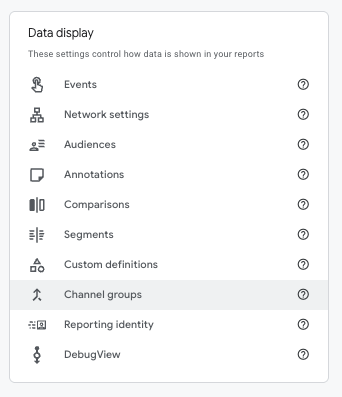
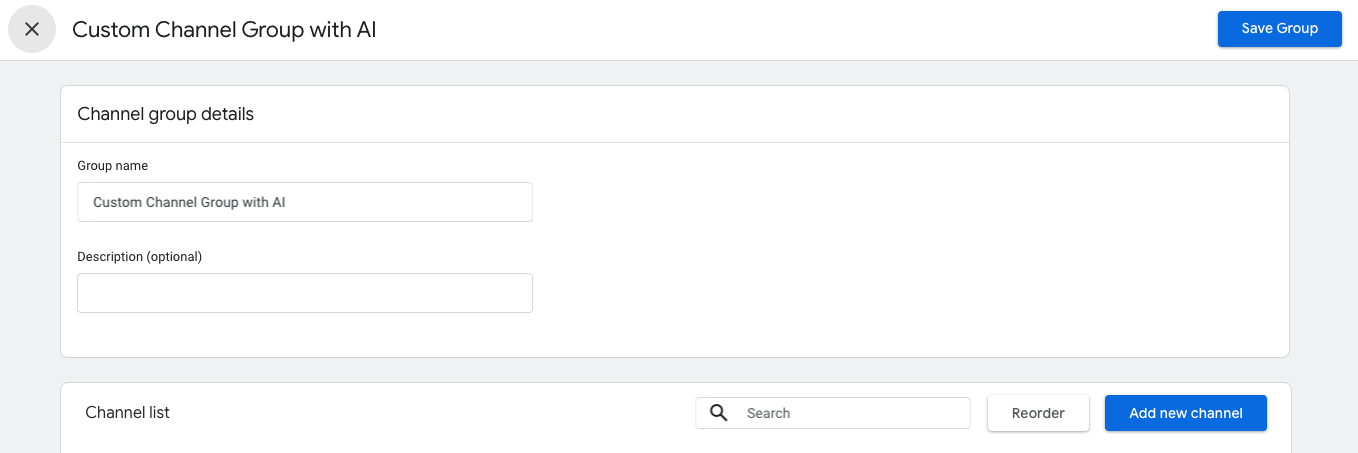
From here, you can create a new channel group and add a dedicated channel called AI.
The key step is adding a rule where Session source matches a regular expression (regex) pattern that includes all major LLM referrer domains.
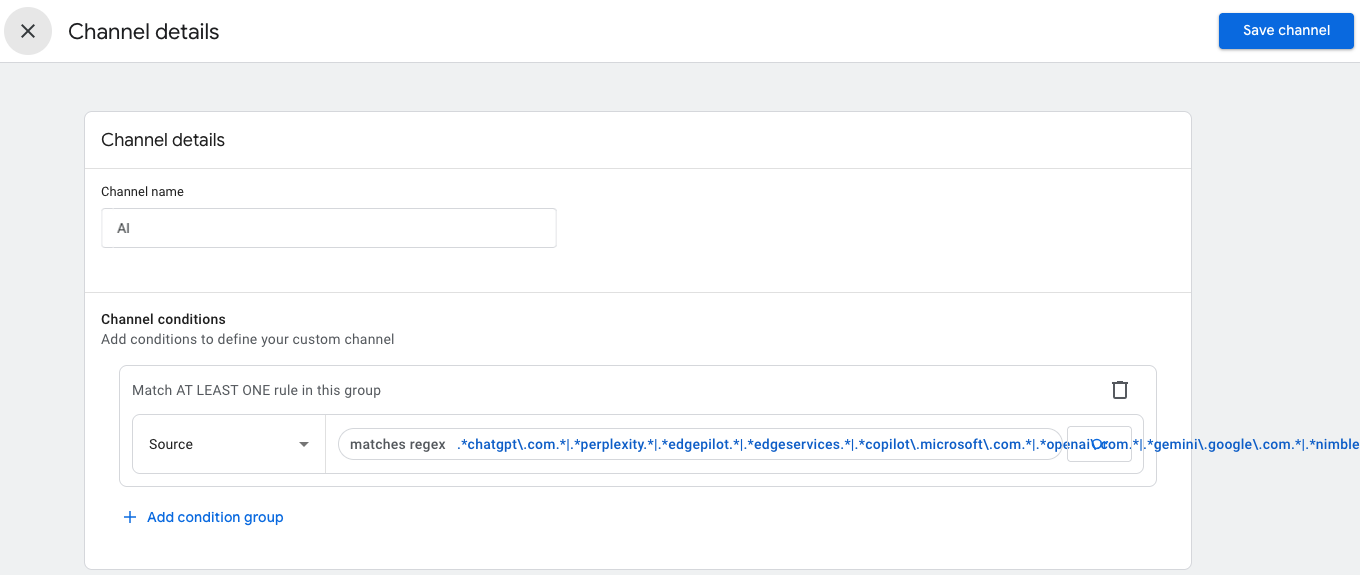
Here’s the regex pattern we use at Aperitif:
Don’t forget to click Save Channel!
2. Reorder the channel list so AI gets priority over Referral
Once added, reorder the AI channel to sit above “Referral” in the list, so AI traffic doesn’t get misattributed. Save your changes, and you’re now set to start collecting cleaner, AI-attributed traffic. You should be able to drag-and-drop.
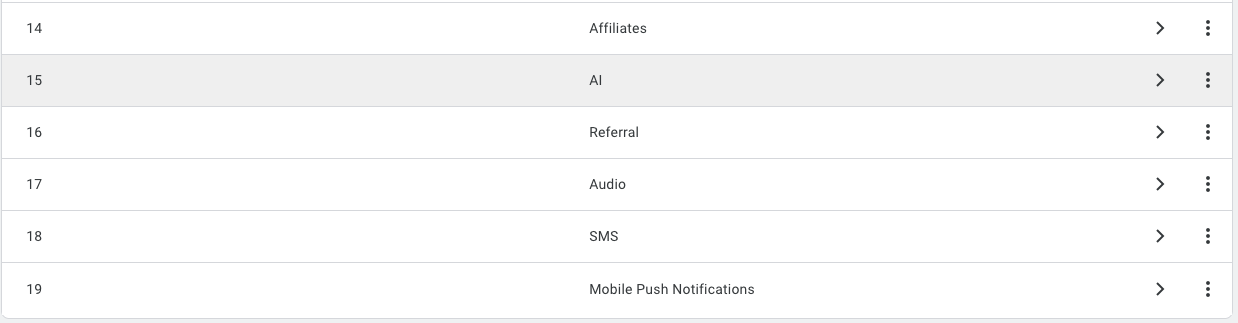
That’s it!
To view your data, go to Reports → Acquisition → Traffic Acquisition, and switch the report view to your custom channel group. You’ll now see AI as a distinct traffic source.
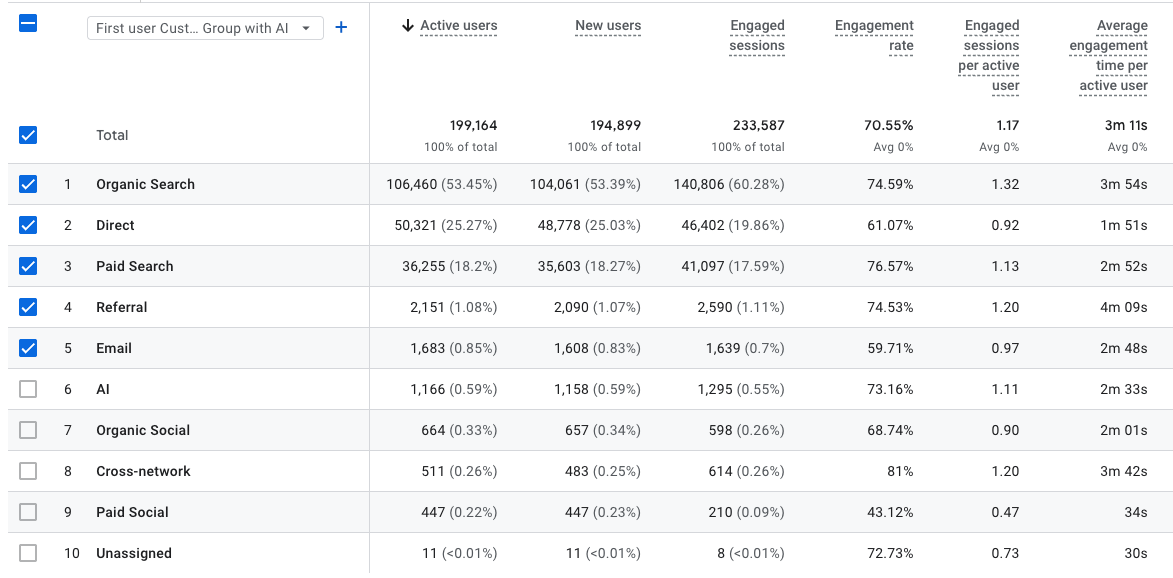
Want to build it into your dashboards? Just refresh fields in your Looker Studio connection and use AI as a filter in your visualisations.
What About the Prompts Behind the Click?
Tracking the referral source is one thing. But what about the prompt that generated your mention in ChatGPT or Perplexity in the first place?
This is where GA4 ends and LLM prompt tracking begins.
At Aperitif, we recommend using tools like Peec.ai and Scrunch.ai to unlock the next level of AI analytics. These platforms let you monitor the exact queries and prompts that lead to your business being mentioned inside AI-generated responses.
Tools like Peec.ai track where your business is being surfaced in LLM responses and whether it’s cited as a source. Scrunch.ai complements this by showing which prompts are trending and when your brand appears in response to those queries.
You can use these insights to:
- Optimise your content based on what’s triggering LLM citations.
- Monitor your competitive positioning in AI-generated results.
- Measure your brand’s visibility in a zero-click, AI-first world.
The result? You stop flying blind in LLM search—and start designing content that performs.
The Emerging AI Search Landscape
In Australia, the transition to AI-assisted search is already well underway. Australians now generate approximately 1.42 AI queries per person per month, and 65% of all search queries end in zero clicks (The Australian).
Even if Google still dominates traditional search, user habits are moving upstream, toward the AI layer. Globally, it’s projected that LLMs could capture up to 14% of search volume by 2028 (Exploding Topics).
If your analytics, content, and visibility strategies aren’t aligned with that shift, you’re missing a key slice of the discovery funnel.
Don’t Just Track, Optimise for AI Discovery
Whether you’re an SEO-driven business or scaling via paid search, AI discovery is already impacting your funnel. It’s showing up as invisible traffic, unexplained conversions, and brand mentions you never planned for. The good news is that at this stage, a lot of what works for traditional SEO, also works for LLM optimisation. We’ve been running countless experiments using the tracking system above and we’re finding that if you generally rank well in Google, this should carry over to ranking in AI systems.
Need help ranking in LLMs? Click here to see our LLM Optimisation Services.
We help ambitious brands grow their footprint across ChatGPT, Claude, Gemini and beyond then track the impact clearly inside your analytics stack.
And if you have any questions, you can always reach out to our specialist team using the form below.